
“Should we use Playwright or Selenium?” still comes up all the time in test automation. The honest answer is “it depends,” which doesn’t help much on its own. So here’s how I’d make the Playwright vs Selenium call in 2026, based on what your team already knows, which browsers you need, and what the suite will cost to maintain.
The short version is that for a brand-new web project, I’d start with Playwright. Selenium is far from dead, though, and there are good reasons to keep it or even pick it. I’ll go through the evidence first, then the trade-offs.
Playwright vs Selenium: what the data says in 2026
Popularity isn’t a strategy. It does show where tooling, hiring, and community answers are heading, though, so here’s what the public data says.
Momentum favors Playwright
- In the week of Sept. 28 to Oct. 4, 2026, the
playwrightnpm package had about 131 million downloads.selenium-webdriverhad about 2.2 million (npm trends). - Over five years, Playwright went from well under 1 million weekly downloads in 2021 to about 131 million today, while
selenium-webdriverhas eased from a 2022 peak of about 3 million to about 2.2 million (npm download data). - Playwright tied for the largest usage gain in State of JS 2025, at +14 points. In the survey’s overall library satisfaction ranking, Selenium sat at about 24%.
There’s a big caveat. npm only counts JavaScript installs, and most of Selenium’s footprint is in Java and Python, which install through Maven and PyPI. Treat these numbers as a sign of direction, not market share.
The job market still wants both
Hiring data is more balanced:
- In a Skillenai sample of 140 SDET postings (90 days, as of Oct. 14, 2026), Playwright appears in 47.1% and Selenium in 35.7%. Java also appears in 35.7%, and Python in 50.7%.
- In QATestingJobs.com’s March 2026 count of open jobs, Selenium had 11,445 mentions against Playwright’s 7,208.
So Playwright is winning new projects, and Selenium still runs a huge installed base. If you work in test automation, it pays to know both.
How they differ under the hood
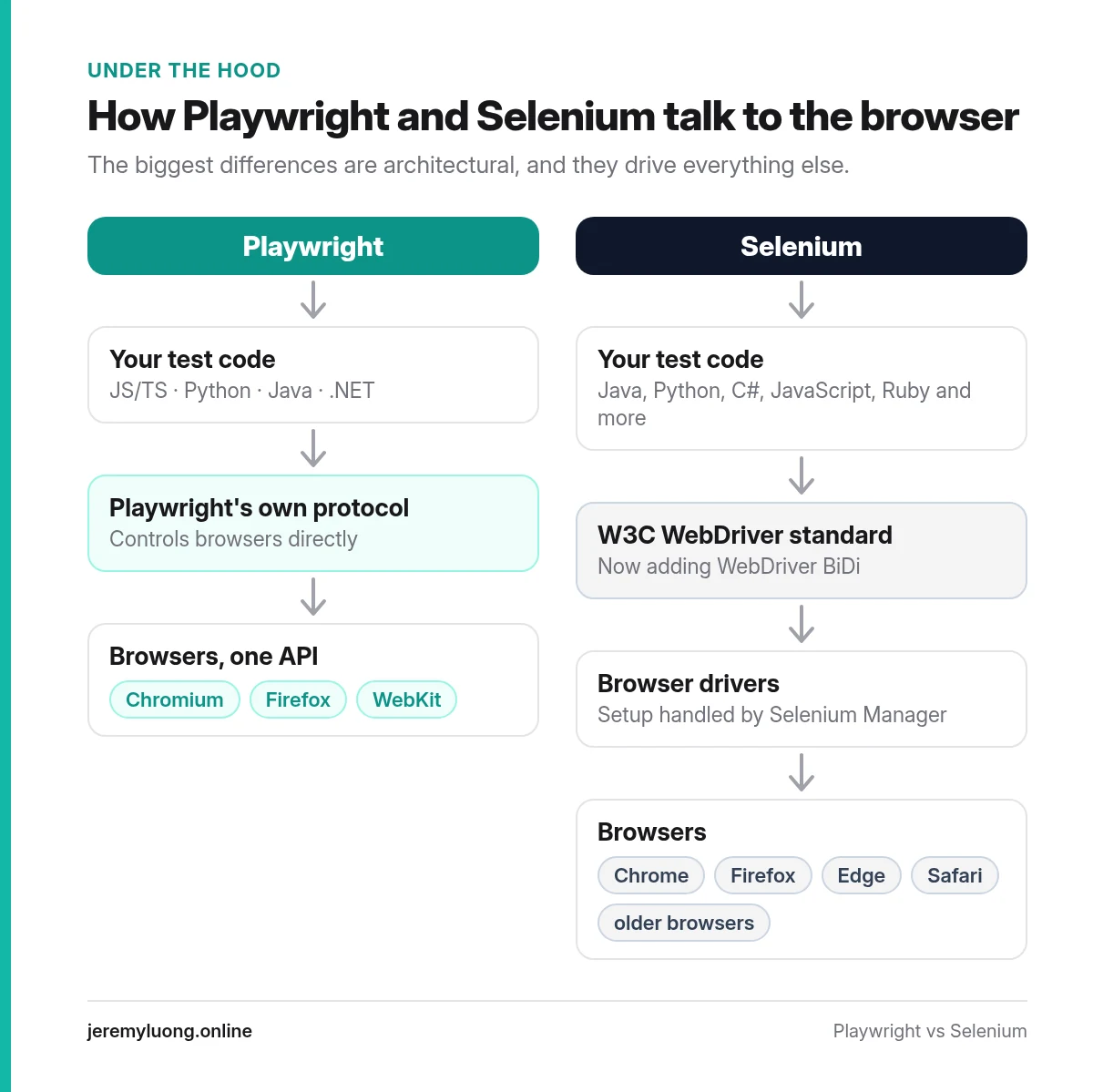
Most of the practical differences come down to architecture.
| Playwright | Selenium | |
|---|---|---|
| Protocol | Controls browsers directly through its own protocol | W3C WebDriver standard, now adding WebDriver BiDi |
| Browsers | Chromium, Firefox, WebKit through one API | Chrome, Firefox, Edge, Safari, plus older browsers via drivers |
| Languages | JS/TS, Python, Java, .NET | Java, Python, C#, JavaScript, Ruby, and more |
| Waiting | Auto-waiting locators and web-first assertions | Explicit waits you write yourself |
| Parallel runs | Built-in workers and --shard | Selenium Grid or your runner’s parallelism |
| Debugging | Trace Viewer with DOM snapshots and network | Screenshots, logs, and IDE debugging |
| Mobile | Device emulation (Android support is experimental) | Real devices through Appium (WebDriver-based) |
| AI tooling | First-party Test Agents (Node runner) and MCP server | Community and vendor integrations |
Selenium keeps moving too. Recent releases keep expanding WebDriver BiDi, a bidirectional protocol for richer browser control (Selenium 4.51 release notes). Selenium Manager now handles driver setup, which used to be a classic Selenium headache.
On the Playwright side, the Test Agents (planner, generator, healer) ship with the Node.js test runner, and Microsoft maintains a separate Playwright MCP server, plus a newer Playwright CLI for coding agents. If AI-assisted testing is on your roadmap, that matters.
The same test in both tools
Here’s a simple login check in Selenium with Java. Look at the explicit wait:
WebDriver driver = new ChromeDriver();
WebDriverWait wait = new WebDriverWait(driver, Duration.ofSeconds(10));

driver.get("https://example.com/login");
driver.findElement(By.id("email")).sendKeys("user@example.com");
driver.findElement(By.id("password")).sendKeys("secret");
driver.findElement(By.cssSelector("button[type=submit]")).click();

WebElement banner = wait.until(
    ExpectedConditions.visibilityOfElementLocated(By.cssSelector(".welcome")));
assertEquals("Welcome back", banner.getText());
driver.quit();
And here’s the same check in Playwright with TypeScript:
import { test, expect } from '@playwright/test';

test('user can log in', async ({ page }) => {
  await page.goto('https://example.com/login');
  await page.getByLabel('Email').fill('user@example.com');
  await page.getByLabel('Password').fill('secret');
  await page.getByRole('button', { name: 'Sign in' }).click();
  await expect(page.getByText('Welcome back')).toBeVisible();
});
There’s nothing wrong with the Selenium version. The Playwright one just shows why teams like it: you don’t write a wait, and the assertion retries on its own. Fewer hand-written waits usually means fewer timing bugs.
When I’d pick Playwright
I’d make Playwright the default when:
- You’re starting a new web project. Auto-waiting, tracing, and parallel runs come built in, so there’s no extra infrastructure to set up.
- Your team writes TypeScript or JavaScript. That’s where Playwright’s ecosystem is richest, even though Python, Java, and .NET bindings exist.
- You need WebKit coverage alongside Chromium and Firefox from one API.
- You test APIs too. The built-in
requestfixture lets one runner handle both API and UI checks. - You want first-party AI tooling. Test Agents ship with the Node.js test runner, and Microsoft maintains a separate MCP server.
When I’d pick (or keep) Selenium
Selenium is often the right call when:
- You have a large, stable Selenium suite. If it’s reliable and cheap to maintain, a rewrite rarely pays for itself.
- Your team lives in Ruby, or has a deep Java ecosystem built on Selenium. Playwright supports Java and .NET too, but Selenium’s language reach is wider, and its Java ecosystem (TestNG, Cucumber, existing grids) is mature.
- You need real mobile devices. Appium builds on the WebDriver protocol, so the skills carry over.
- You need specific or older browsers that Playwright’s bundled engines don’t cover.
- You rely on a vendor grid or tool built around WebDriver.
The hidden cost: maintenance
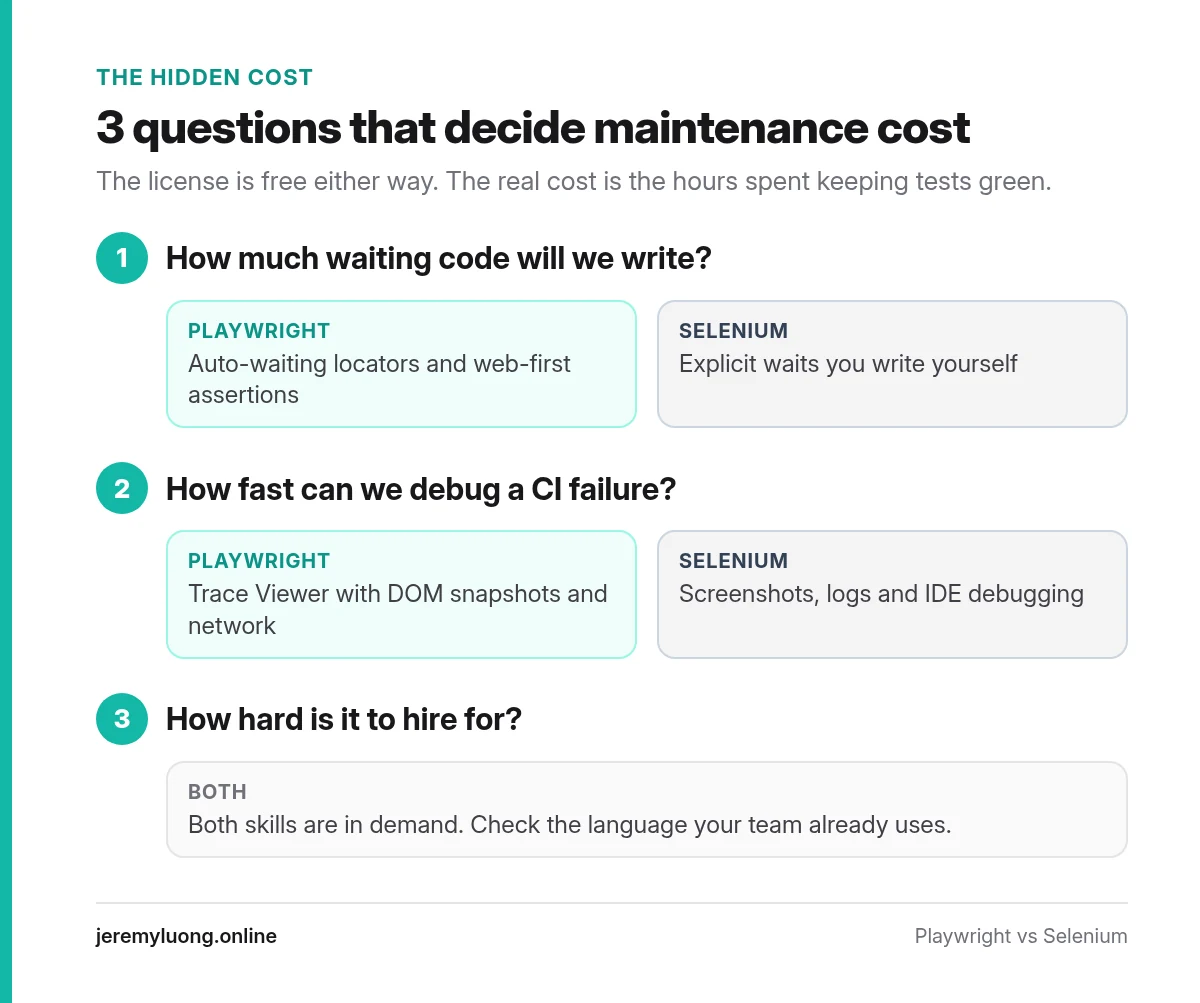
The license is free either way. What you really pay for is the hours your team spends keeping tests green. I’d compare tools on three questions:
- How much waiting code will we write? Every hand-written wait is a future flaky test.
- How fast can we debug a CI failure? A trace with DOM snapshots and network calls usually beats a screenshot and a stack trace.
- How hard is it to hire for? Both skills are in demand, so start from the language your team already uses.
If you already run Selenium and the pain is real, you can move in phases. Port the most valuable tests first and keep both suites running while they overlap.
Three Playwright vs Selenium myths
A lot of advice on this topic repeats claims that were true years ago. These are the three I’d retire.
Myth 1: “Selenium is too old to be maintained”
Selenium is under active development. The 4.50 and 4.51 releases (September and October 2026) kept expanding WebDriver BiDi support. It’s also built on a W3C standard, which many browser vendors implement directly. Age isn’t the problem. Verbose waits and brittle locators usually are, and you can fix those in any tool.
Myth 2: “Playwright is only for JavaScript teams”
Playwright has official bindings for Python, Java, and .NET as well as TypeScript (Playwright docs). The catch is that the runner with the most features, @playwright/test, is the Node.js one. A Java team gets the browser automation but not every runner feature, and the Test Agents are one of the gaps. Check which features you need before you decide.
Myth 3: “You have to pick one forever”
You don’t. Many teams run both for a while. New tests go into Playwright, and stable Selenium tests stay put until they need real work, so the old suite shrinks over time. You spread the cost and keep your coverage, and it’s far less risky than a big-bang rewrite.
A note on cost of change
If you do decide to move, plan for the real work. Converting syntax is the easy part. The hard part is your page objects, test data, and CI setup. I think the teams that succeed migrate the most valuable tests first and delete low-value tests instead of porting them.
Playwright vs Selenium decision checklist
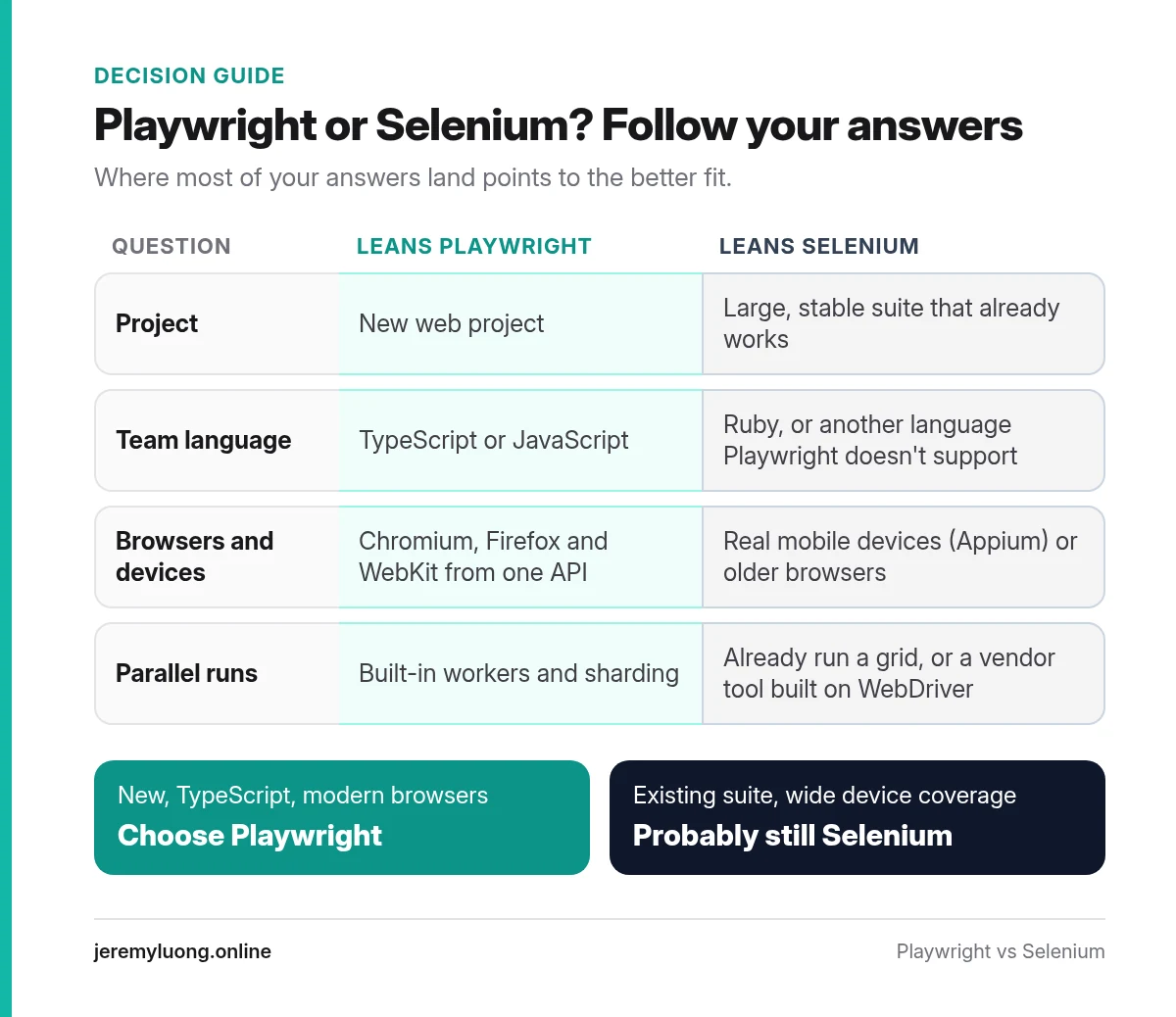
Answer these before you commit:
- Is this a new project, or an existing suite that already works?
- What language does the team write every day?
- Which browsers and devices do you have to cover, including real mobile devices?
- Do you need built-in parallelism, or do you already run a grid?
- How much time does the team spend on flaky tests and waits today?
- Is AI-assisted test generation part of your plans?
- Will the people who maintain the suite be easy to hire?
If most answers point to “new, TypeScript, modern browsers,” choose Playwright. If they point to “existing suite, wide device coverage,” Selenium is probably still the better fit.
Keep reading
Once you’ve picked a tool, the next question is which test layer should catch which failure, and that’s where contract testing vs E2E testing comes in.
[…] If you’re still choosing the browser tool that will run those E2E tests, start with Playwright vs Selenium. […]
[…] right tool for your team, or how much of your coverage should be E2E in the first place, start with Playwright vs Selenium and contract testing vs E2E […]